

Monitor all employee activity across Windows, Mac, and BlackBerry devices
Spector 360 monitors employee computer usage to protect you from a variety of problems, including:
Data Theft
Identify those insiders with access to valuable corporate data that obtain copies or send data out through email, cloud-based storage or webmail.
Data Loss
Know when data is inappropriately copied to a USB drive or laptop that could be lost or stolen.
Data Corruption/Deletion
Have proof and context when data is maliciously destroyed or altered.
Employee Fraud
Be alerted to actions that can be associated to corruption, asset misappropriation, and financial statement fraud committed by one or more employees.
Identity Theft
Distinguish multiple logons indicating employees utilizing credentials of other employees to gain access and participate in one of the previous Insider Threat forms.
Productivity Loss
See which employees are wasting time on personal activities on the Internet. While not a threat that would take a business down, productivity loss can be material.
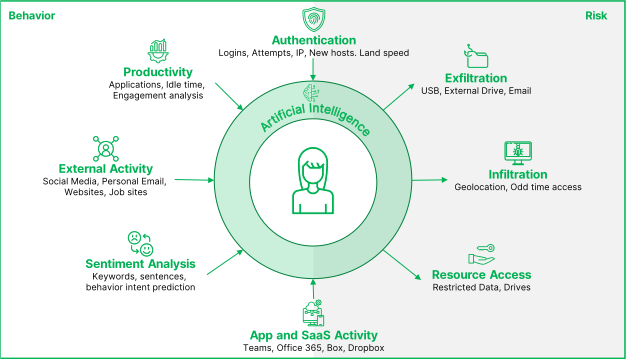
SPECTOR 360 monitors, captures, and analyzes ALL user and user group activity including: email sent and received, chat/IM/BBM, websites visited, applications/programs accessed, web searches, phone calls, file transfers, and data printed or saved to removable devices.
SPECTOR 360 features automated, remote installation of the Windows and Mac clients and requires no client installation on BlackBerry devices.
SPECTOR 360 captures employee activities performed on Windows, Mac and BlackBerry devices automatically storing the activity data centrally for further auditing.
Stay up-to-date on all activity
Receive scheduled reports to provide insight into monitored activity. Instant Alerts are also sent based on specific keywords, program activity, printing and more.
Every action, in detail
Drill down and see the individual activities in question. Replay computer activities with Screen Playback.
Never miss a thing
Because SPECTOR 360 runs across devices, you capture every single screen, keystroke, file transfer, phone call, text message, email, etc…
Know what they’re really doing
SPECTOR 360 differentiates application usage into Active, Focused and Total Time to tell exactly how the user was interacting with each program. Active when it’s open, Focused when they are working with it and Total being the sum of the two.
We’re always watching…so you don’t have to
SPECTOR 360 has over 90 individual activity types to alert you via email to exactly who is copying sensitive files, surfing Facebook, printing documents, downloading files and more.
Informed…without the effort
Scheduled reports via email help you keep track of activity trends so you can see your top producers, top offenders and everything in between.
Dig into the details
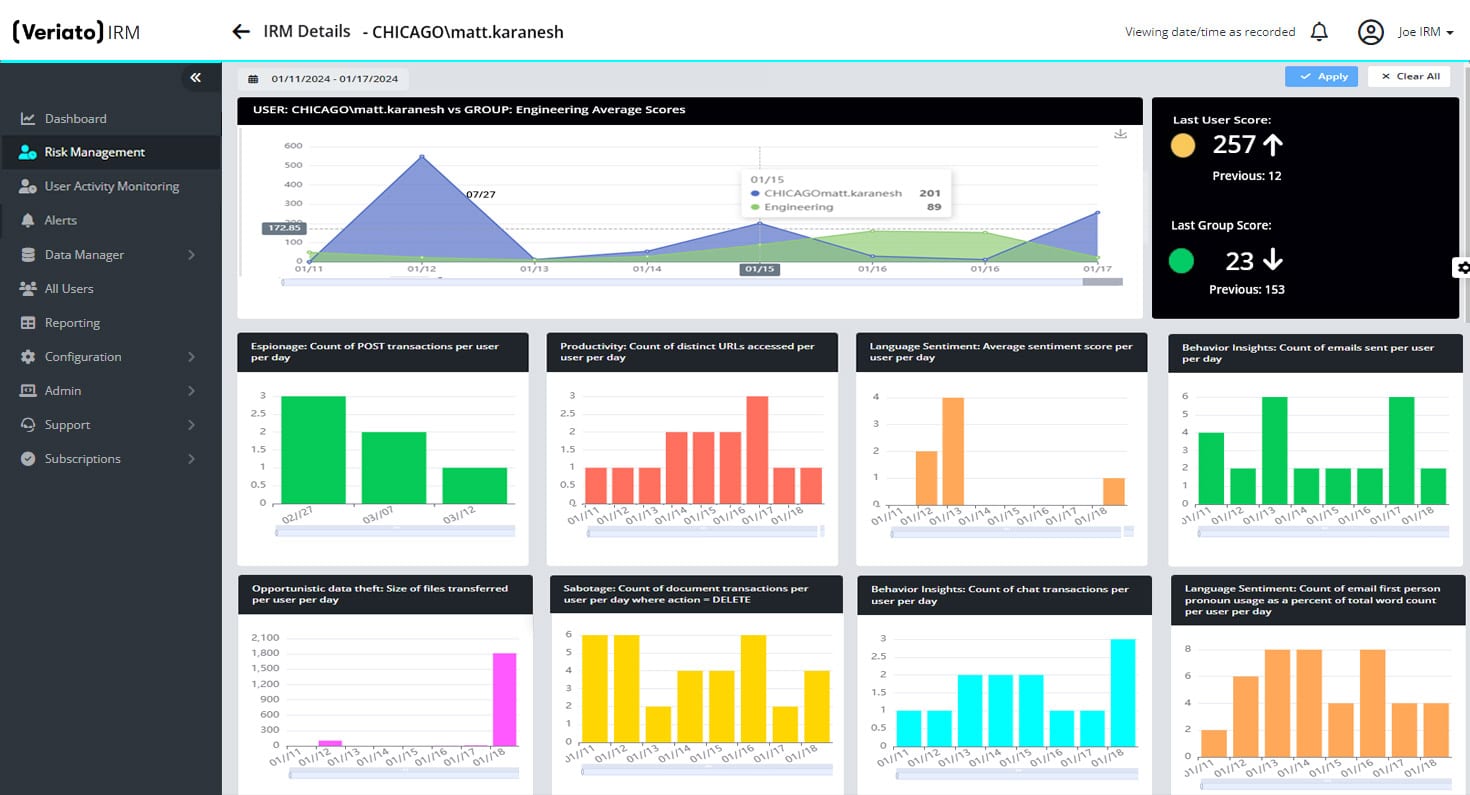
SPECTOR 360 uses dashboards and Event views to help you navigate to the user, activity or specific action to identify exactly what is happening in your organization.
Activities in Context
Video playback of computer screen captures tells the story around the actions in question, providing context where lists of actions alone fall short.
Not everyone needs to see everything
Because the reviewing needs of HR, IT and management are all different, SPECTOR 360 allows you to restrict which users, groups and activities are visible to. Usernames can even be obfuscated to allow for reviewing of trends without exposing specific users’ activities.
Why SPECTOR 360?
The Top 5 Reasons organizations turn to SPECTOR 360 User Activity Monitoring:
Track and enforce electronic Acceptable Use Policies
Protect valuable Intellectual Property and trade secrets
Identify security breaches and risks
Monitor and audit compliance requirements
Benchmark user productivity
You can also use SPECTOR 360 to:
Recover lost communications such as email, chat, and IM
Assist Help Desk with computer recovery
Eliminate or minimize legal liability
Obtain data to support accusations of wrongdoing or provide proof of innocence
Eliminate or minimize security breaches
Detect the use of organization resources to conduct illegal or unethical activities
Active or Focus Time: A Key Distinction
SPECTOR 360 also distinguishes between active time and focus time. This means that you can tell the difference between an application opened and left idle, and one that is opened and actively used. When working to optimize productivity, improve training, and gather application metering data, this distinction is invaluable.
Capture and Analysis in Detail
To learn more details about each of the capture and analysis capabilities in SPECTOR 360, click on the icons below:
Beyond its powerful capture and analysis functions, SPECTOR 360 offers instant keyword alerts and complete audit trails so you can dig deep into the issues most critical to your organization. Keyword alerts are an invaluable way to quickly and instantly learn if users have acted in ways that require immediate notification or action. The keyword alerts can be customized, allowing you to insert tokens for the key data fields you are interested in, including fields such as "triggering event," "user" or "user group," "time stamp," or "computer name."
Additionally, SPECTOR 360 offers complete Administrator Audit trails and reports of Control Center Activity. This feature ensures all vital changes, such as client installs, client uninstalls, changes in profiles, and changes in user group members are captured and displayed in an intuitive "before" and "after" manner.
In the final analysis, SPECTOR 360 offers what is perhaps the most elusive and valuable business benefit of all: the peace of mind you attain by having captured, analyzed, and acted...appropriately, decisively, and with confidence.
Easy-to-Read Reports... Just Click!
SPECTOR 360 takes the recorded activity from each user's PC, Mac, or BlackBerry, and feeds that information into a database and provides more than 75 built-in, easy-to-read, comprehensive Quick View reports. Plus, it's easy to create unlimited custom reports to suit your organization's specific needs.
Using SPECTOR 360's powerful Quick View reports, you will quickly find answers to questions such as:
How are users communicating with customers and each other?
Are employees or contractors visiting inappropriate or dangerous websites?
Which applications are used most? See this information detailed by Active Time, Total Time, and Focus Time
Who is accessing, transferring, and printing sensitive IP?
Who is ignoring Acceptable Use Policies by posting information to Facebook on organization time?
Who is leaking confidential information or valuable trade secrets ... accidentally or for personal gain?
Which users are disclosing information in violation of industry compliance rules and regulations?
Who is involved in antiquated, outdated, or inefficient work processes?
Which users are transferring data to removable media like USB drives, CDs, or DVDs?
What information is being messaged or emailed specifically from your BlackBerry devices?
Plus ... Internet Filtering
In addition to the most advanced and comprehensive User Activity Monitoring available, SPECTOR 360 permits you to proactively control how users access the web by integrating Internet Filtering. Using SPECTOR 360's Internet Filtering feature on your Windows and Mac clients, you can block access to specific web sites or to categories you deem inappropriate. With more than thirty predefined Internet Filtering categories, using SPECTOR 360 you can restrict Internet access by individual, group, department, division, or the entire organization.
Capture, Analyze, and Act
Global organizations of all sizes and industries use SPECTOR 360 to address the following top-of-mind issues:
Protect their assets and reduce insider theft
Improve efficiency and optimize productivity
Track and review activity around compliance and regulatory mandates
Download a free trial of SPECTOR 360 and see how it can improve your organization's competitiveness, protect its reputation, and minimize losses.