

Thousands of Customers Across Hundreds of Thousands of Endpoints Globally





Insider Threats Continue to Grow
82%
Of data breaches are caused by unsecure behavior by employees, according to Gartner.
$4.45M
The average cost of a data breach in 2023, an increase of 15% in 3 years, according to IBM.
85 Days
The average time to contain an insider incident, per recent report by the Poneman Institute.
Veriato Closes the Gap With Predictive Behavior Intelligence
Veriato IRM can proactively identify high-risk activity, analyze employee behavior and monitor your intellectual property faster and more accurately than any other solution on the market.

Identify Complex Behavior Patterns
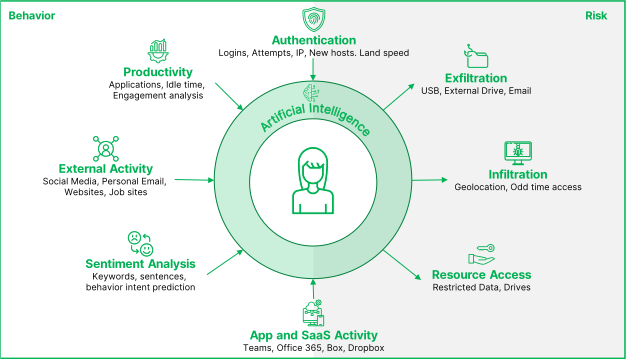
Comprehensive language and sentiment analysis is combined with logon events, document activity, email activity and other user behavior.

Apply GenAI-Driven Risk Detection
Predict and prevent insider threats through powerful anomaly detection, automatic PII identification & risk scoring.

Respond Faster & More Effectively
Investigate and triage potential threats while reducing the burden on your IT team by focusing patterns and anomalies that matter.
One Solution to Predict, Identify, Investigate & Address Insider Threats
Veriato unified solution provides flexible, guided workflows that help you detect a broad range of user activities across your organization, investigate and triage those activities to identify potential risks, and take action as needed.

Predict Insider Risks & Prevent Them From Turning Into Threats
Veriato offers predictive behavior intelligence built with AI to help organizations manage insider risk and monitor employee activity in their remote, hybrid and in-office environments.
Veriato Closes the Gap With Predictive Behavior Intelligence
Veriato IRM can proactively identify high-risk activity, analyze employee behavior and monitor your intellectual property faster and more accurately than any other solution on the market.
Unparalleled Risk Detection
Domain specific Generative AI trained with Retrieval Augmented Generation (RAG) for language analysis.

Complex Dimensional Analysis
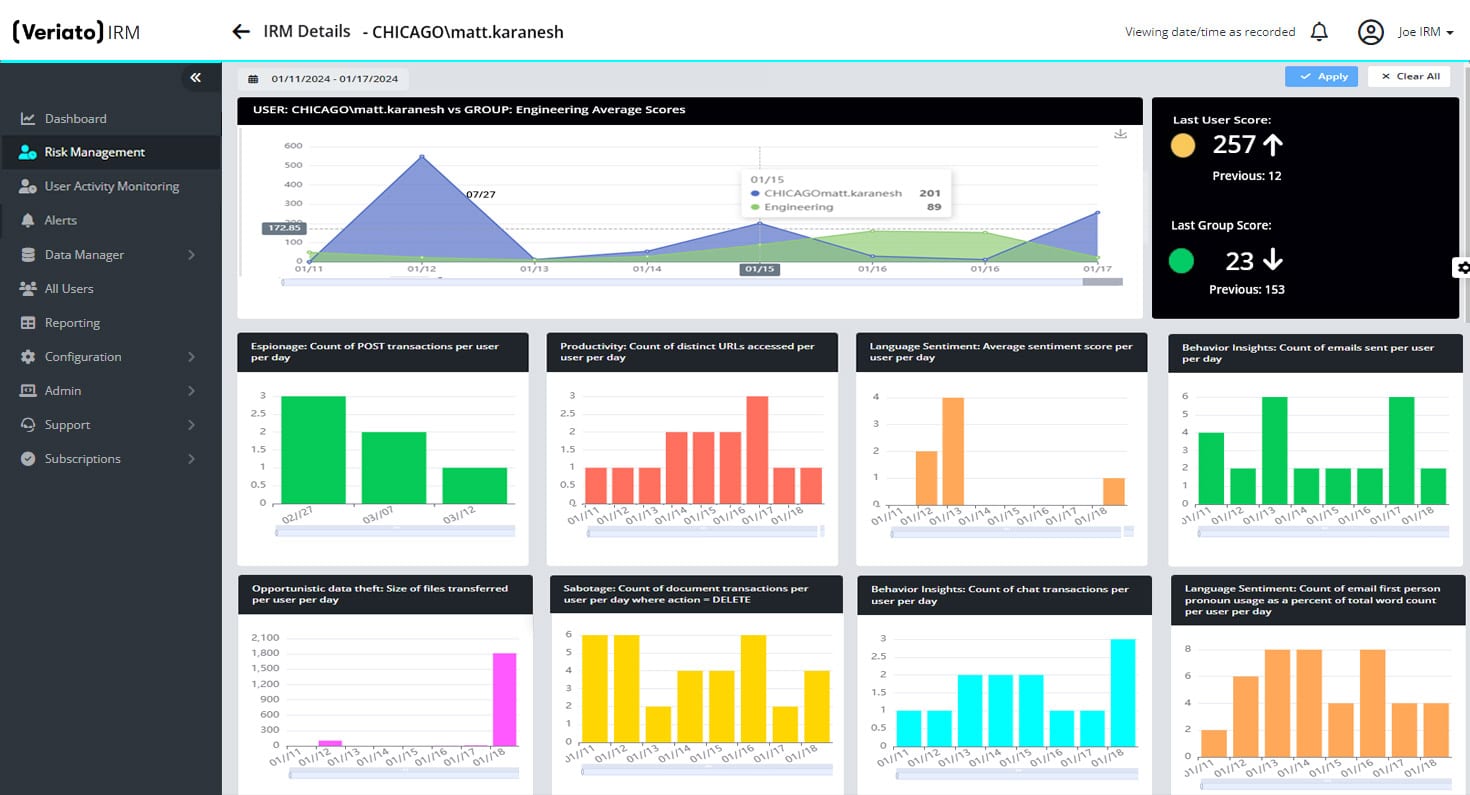
Get a rich, multi-dimensional picture of user behavior with GenAI-driven Risk Scoring.

Powerful Anomaly Detection
Easily detect anomalous activity based on a rolling baseline unique to your organization.

Industry-Leading Pattern Identification
Understand and analyze patterns across logon events, document activity, email activity and much more.

Comprehensive Language & Sentiment Analysis
Detect changes in tone and sentiment with Natural Language Processing (NLP) capabilities.

Automatic PII/PHI Identification
Use RAG pre-trained models to automatically identify sensitive information on screen for alerts or reduction.
AI-Powered Threat Alerts
Minimize alert fatigue and the burden on your IT team with powerful alerts with risk score, behavior and anomaly triggers.

Flexible Deployment Options
Securely store data in the cloud, on-premise or in a hybrid cloud environment. Use regional servers to meet regulatory requirements, like GDPR.

Latest Microservices Architecture
The new microservices platform architecture allows for flexible deployment, minimal endpoint device impact and scalability to tens of thousands of endpoints.
What Clients Have to Say
Get a 360-Degree View by Focusing on User Behavior
By focusing on users and their behavior, Veriato helps address today’s complex insider threats while minimizing alert fatigue caused by so many other solutions.